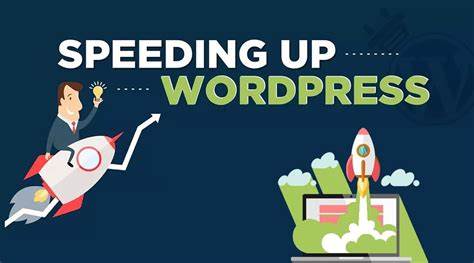
In the current society, we have very advanced and complex websites with lots of features. Perhaps, the loading speed can affect the users and even the ranking in the Search Engine Result Pages. For WordPress users, optimising WordPress speed is significant in making sure that your website loads faster and executes well. Reduced load time also increases the users’ satisfaction and will always be a plus for SEO optimization. Thus, it should be an important factor. Here in this guide, we will discuss the methods and tricks for making your WordPress website faster.
#1. Leverage Caching Plugins
I would argue that caching is perhaps one of the best approaches to managing WordPress’s speed. Plugins that cache your web pages take and use a copy and remove the need for PHP and database queries each time a user visits the site. This leads to shorter times to load web pages and reduced stress on your web server and page. WP Super Cache, W3 Total Cache and WP Rocket are among the most effective caching plugins a website could use. These plugins provide diverse elements including page caching, browser caching and minification, all of which increase the rate of page loading.
#2. Optimise Images
Images usually occupy a large amount of the webpage, and this affects its loading time. Therefore, those images must be optimally resized and compressed. Optimizing images can be done easily through image optimization plugins such as Smush or Imagify in which the plugin is capable of compressing images automatically while maintaining picture quality. Also, if possible, use fresh formats of images like WebP since they have better capabilities of compression than JPEG and PNG.
#3. Minimise HTTP Requests
Minimising the number of requests a site makes through HTTP is a great way to make your site faster. Every time a user performs a request for some file, for instance, styles (CSS), scripts (JavaScript), or others (pictures), the load time increases. To enhance WordPress speed, you should avoid the use of multiple, and should rather join as well as shorten the CSS and JavaScript. There are plugins like Autoptimize which can do this for you by combining files and stripping out unwanted code. Furthermore, make use of CDN for the distribution of static resources so that it is served from a numerous location and hence reduces load times.
# 4. Select an excellent hosting service provider
The operation speed of your WordPress website significantly depends on the hosting company you choose. A good hosting service with properly tuned servers is half the job done when it comes to response times and site efficiency. So, it is recommended to select hosting providers who provide such important features as server caching, SSD storage, and scalable resources. There are always optimised services and optimization of the hosting from the Managed WordPress hosting providers, and this is always an added advantage because they are well-optimised for WordPress and support faster load times.
# 5. Remind Frequently Change themes and Plugins
Sometimes it can be seen that the themes and plugins you are using are not updated for quite a while and this can slow down the speed and even lead to security issues. This is all about WP themes and plugins to make sure you get the latest updates with new enhancements and fix security holes. Make sure that the updates are enabled and delete those plugins that are not essential or are not in use because every plugin is an extra burden on the website.
# 6. Optimise Your Database
Eventually, the WordPress database might have extraneous and overhead information that will cause a hindrance to your site. Database optimization should however be routinely performed to ensure that the database is running efficiently. For example, the WP-Optimise plugin can enable clean-up and optimise your database by eradicating spam comments, post rewrites and transient options that slow your site.
#7. Implement Lazy Loading
Lazy loading is a method which loads the elements which are not needed when the page loads, for example, images or videos. This approach helps in minimising the load time at the first encounter and is beneficial for the site in the long run. WordPress has native support for lazy loading of images with the native image lazy loading but you can override this with third-party plugins such as a3 Lazy Load.

webadmin
WordPress guidance, troubleshooting tips and practical website advice from WP-Buddies.