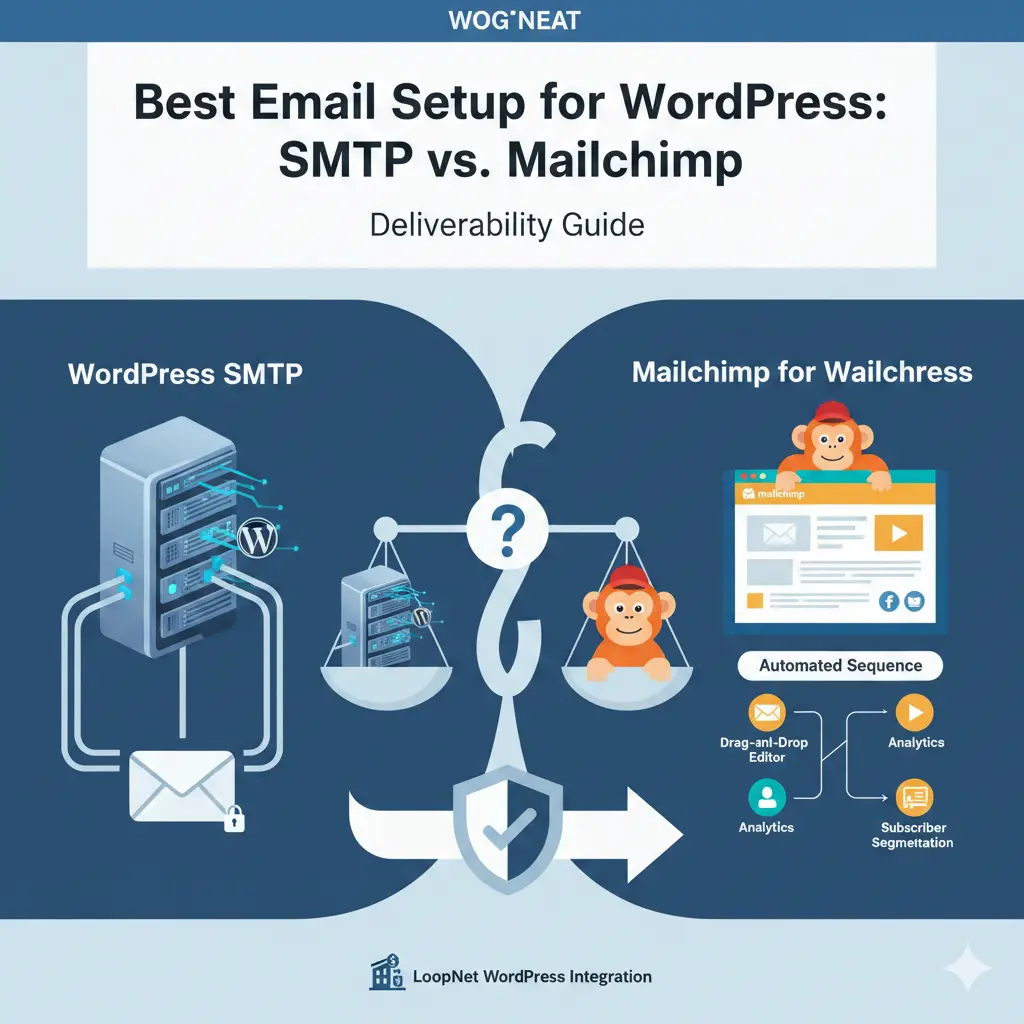
Best Email Setup for WordPress: SMTP vs. Mailchimp
Table of Contents
-
WordPress Mail SMTP vs Mailchimp Deliverability Overview
-
What is WordPress SMTP?
‣ Definition and Purpose
‣ How SMTP Works in WordPress
‣ Advantages and Disadvantages -
What is Mailchimp for WordPress?
‣ Overview of Mailchimp
‣ Importance in Email Deliverability
‣ Features of Mailchimp
‣ Pros and Cons of Mailchimp -
SMTP vs Mailchimp – Deliverability Comparison
‣ Email Delivery Reliability
‣ Spam Evasion
‣ Authentication and Validation
‣ Ease of Use and Setup
‣ Cost Comparison
‣ Best Use Cases -
How to Choose the Best Option for Your WordPress Site
‣ Key Factors to Consider
‣ Expert Recommendations -
Frequently Asked Questions
-
Conclusion
Introduction
WordPress Mail SMTP vs Mailchimp Deliverability
Email deliverability is considered critical for WordPress sites. Poor delivery means low engagement and sales.
Such a system will ensure that emails find their way into users’ inboxes and will easily integrate with different platforms, such as LoopNet WordPress integration.
Congratulations.
In this guide, we will compare SMTP vs. Mailchimp to make a choice.
What is WordPress SMTP?
Mailchimp also plays a key role when discussing WordPress Mail SMTP vs Mailchimp Deliverability, because it handles marketing emails with strong inbox performance. It offers verified domains, reliable sending systems, and powerful tools that improve overall deliverability for growing WordPress sites.
Definition and Purpose
- SMTP stands for Simple Mail Transfer Protocol: it sends emails reliably from your WordPress.
- Prevents emails from going into spam and improves deliverability.
How SMTP Works in WordPress
- Install an SMTP plugin, like WP Mail SMTP.
- Set the following settings on the server: host, port, username, password.
- Send test emails to confirm your setup.
Advantages and Disadvantages of Using SMTP
Pros:
- Reliable delivery directly from your hosting server.
- Any service limitations from any third-party vendors are not applicable.
- Works for transactional e-mails, like password resets.
CONS:
- Requires knowledge of configuration.
- Hosting server limits may affect delivery.
- No advanced marketing automation features.
What is Mailchimp for WordPress?
Overview of Mailchimp
- Mailchimp is an independent email-marketing platform that is integrated with WordPress.
- It helps in easily sending campaigns, newsletters, and automation sequences.
Mailchimp stands out when people compare WordPress Mail SMTP vs Mailchimp Deliverability because it manages promotional emails with strong reliability. It ensures campaigns reach subscribers by using verified domains and quality sending servers. This process supports WordPress users who want consistent email performance.
Features of Mailchimp
Many users evaluate WordPress Mail SMTP vs Mailchimp Deliverability to understand how Mailchimp enhances email sending. The platform improves deliverability through domain authentication, smart routing, and anti-spam checks. These features help maintain strong inbox placement across different email providers.
- Drag-and-drop email builder.
- Automated email sequences.
- Analytics and reporting
- Subscriber segmentation.
Pros and Cons of Using Mailchimp
Pros:
- Set up in minutes and automate.
- Professional templates of campaigns.
- Tracking of e-mail open and click-through rates.
When reviewing WordPress Mail SMTP vs Mailchimp Deliverability, many users notice Mailchimp’s advantage in large list management. It processes bulk emails more efficiently due to its optimized infrastructure. This performance helps maintain trust scores and supports consistent marketing results.
Disadvantages
- Free plan limits the number of subscribers.
- Dependent upon third-party servers.
- Less control over transactional emails.
SMTP vs. Mailchimp – Deliverability Comparison
E-Mail Delivery Reliability
- SMTP delivers directly from your server.
- Mailchimp uses verified sending domains for better inbox rates.
Spam Evasion
- SMTP requires proper authentication so that messages do not end up in spam folders.
- Mailchimp has built-in tools to reduce spam classification.
A major part of comparing WordPress Mail SMTP vs Mailchimp Deliverability involves understanding how each service handles authentication. Mailchimp uses advanced validation methods to improve inbox rates, while SMTP requires manual setup to match similar results. This difference often influences which option users prefer.
When evaluating WordPress Mail SMTP vs Mailchimp Deliverability, it’s important to consider server reputation and authentication settings. Properly configured SMTP ensures emails from your WordPress site reach inboxes reliably. Mailchimp, on the other hand, uses verified sending domains and advanced routing to maximize deliverability, especially for large campaigns and marketing lists. Choosing the right approach depends on your email goals and audience size.
Ease of Use and Setup
- The SMTP has to be configured manually.
- Mailchimp is also friendly for beginners, boasting ready-made templates.
Cost Considerations
- Most SMTP comes free with hosting.
- Large lists in Mailchimp are expensive.
Suitable Use Cases
- SMTP – best for transactional emails or small blogs.
- Mailchimp is great for newsletters, campaigns, and creating mailing lists.
- This works particularly well for sites using platforms such as LoopNet WordPress integration to manage listings.
How to Choose the Best Option for Your WordPress Site
Things to Consider
- Email volume and frequency.
- Technical skill level.
- Budget and future growth.
- Type of e-mails: transactional vs. marketing.
Many site owners compare WordPress Mail SMTP vs Mailchimp Deliverability when choosing an email system. They want reliable performance without complex setup. Mailchimp offers easier configuration for beginners, while SMTP provides stronger control for technical users. This choice depends on the type and volume of emails a site sends regularly.
Recommendation
- Small blogs: use SMTP for reliable delivery.
- Ecommerce stores: Manage campaigns and automation in Mailchimp.
- Membership sites: use SMTP for critical account emails, Mailchimp for marketing
Frequently Asked Questions
Q1: Can I use SMTP and MailChimp together?
Yes, SMTP handles transactional emails, while Mailchimp takes care of newsletters and campaigns.
Q2: Does SMTP improve email deliverability?
Yes, if configured rightly, SMTP ensures that your emails land in the inbox and not in spam.
Q3: Is Mailchimp free for WordPress users?
Mailchimp has a free plan but with limitations. Large lists need a paid plan.
Q4: Which is better for running marketing campaigns?
Mailchimp is better because of the templates, automation, and analytics.
Q5: Which is easier for beginners?
Mailchimp is easier; SMTP requires setup and knowledge about servers.
Conclusion
Both of them have their merits: SMTP and Mailchimp. SMTP will be used for transactional emails, and for marketing campaigns, Mailchimp will be used. Choose the combination that best suits your needs, volume of emails, and your technical skill level. Mailchimp works well on platforms such as LoopNet WordPress Integration.
Understanding WordPress Mail SMTP vs Mailchimp Deliverability helps you make a better decision for your WordPress site. Each option supports different email goals and performance needs. When you use the right system, your emails reach the inbox more effectively and improve user engagement.
Additionally, using the right setup can improve deliverability, increase engagement, and ensure your messages consistently reach your audience’s inboxes effectively.

webadmin
WordPress guidance, troubleshooting tips and practical website advice from WP-Buddies.