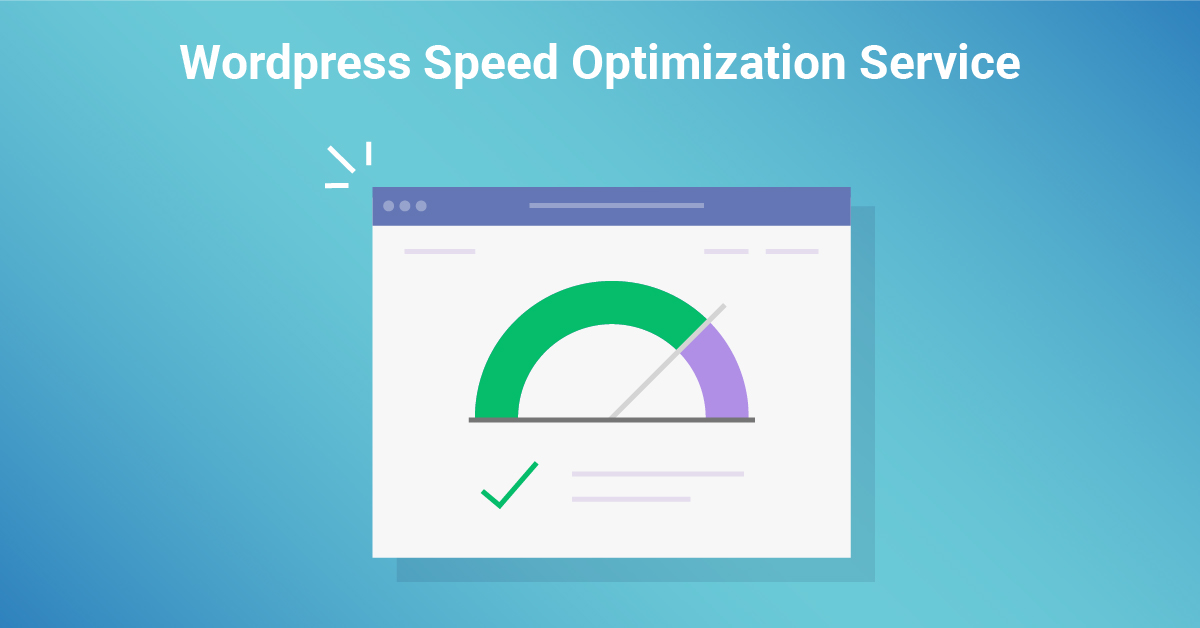
In today’s digital landscape, website speed is not just a luxury—it’s a necessity. Every second your WordPress site takes to load can impact your user retention, conversion rates, and search engine rankings. Optimizing your WordPress site for speed can significantly enhance performance, ensuring visitors have the smoothest possible experience. In this article, we’ll explore how WordPress speed optimization can transform your site performance, break down the causes of slow sites, and guide you through the most effective optimization techniques.
Understanding the Importance of WordPress Speed Optimization
Why Site Performance Matters for User Experience
User experience (UX) sits at the heart of a successful website. When a site lags, visitors are more likely to abandon it—sometimes before it loads. Research has consistently shown that users expect websites to load within two seconds, and anything beyond that feels painfully slow. In an age of instant gratification, speed is paramount. A fast-loading site isn’t just about satisfying short attention spans; it’s about maintaining credibility and trust with your audience. Slow performance is akin to a locked door—a barrier many users won’t push through.
The Role of Speed in SEO and Rankings
Search engines like Google prioritize user experience in their algorithms. Site speed, especially on mobile devices, is a ranking factor. A sluggish website can signal to Google that your site isn’t user-friendly, resulting in lower search rankings. This can lead to reduced organic traffic and visibility. WordPress load time reduction is crucial in staying competitive in search engine rankings. Optimizing your site’s speed enhances user experience and bolsters your SEO, giving you an edge in the crowded digital marketplace.
Common Causes of Slow WordPress Websites
How Hosting Affects Load Time
Your website’s hosting environment plays a pivotal role in site performance. Shared hosting, while cost-effective, can throttle resources, leading to slower load times as you’re essentially sharing a server with other sites. In contrast, Virtual Private Servers (VPS) or dedicated hosting solutions offer greater bandwidth, reducing delays. Poor hosting is like driving a high-performance car on a dirt road—no matter how great your site is, it’ll never reach its potential without the proper infrastructure.
Poorly Optimized Images and Their Impact
Images not properly optimized can act as digital deadweight, dragging down your load times. High-resolution, uncompressed images consume excessive bandwidth and significantly slow down page rendering. By optimizing images through compression or using next-gen formats like WebP, you can vastly improve your site’s speed. Faster-loading visuals make your site more appealing and prevent users from bouncing before seeing them.
Excessive Plugins and Unnecessary Code
Plugins are the bread and butter of WordPress functionality, but only a few can create chaos behind the scenes. Excessive or poorly coded plugins consume valuable server resources, leading to longer load times. Additionally, outdated plugins can introduce unnecessary code bloat, making your site sluggish. Streamlining your plugin usage and keeping only the essentials are crucial to keeping your WordPress site running lean and fast.
How to Test Your Website’s Speed
Top Tools for Measuring WordPress Load Time
Before improving your site’s speed, you must assess its current state. Several powerful tools are available, including Google PageSpeed Insights, GTmetrix, and Pingdom. These tools provide detailed insights into your site’s load time, offering suggestions for improvement and a breakdown of factors affecting speed. A good speed testing tool helps you measure performance across different devices, ensuring you’re optimising for both desktop and mobile experiences.
Analysing Speed Test Results for Actionable Insights
Once you’ve run a speed test, the next step is interpreting the data. This could include insights on slow server response times, large image sizes, or unnecessary HTTP requests. It’s essential to focus on actionable items—enabling caching, optimizing media, or upgrading your hosting plan. Speed test results are more than just numbers; they’re a roadmap to a faster, more efficient site.
Proven Techniques for WordPress Speed Optimization
Image Compression and Optimization Strategies
Optimizing images is one of the quickest wins regarding WordPress speed optimization. Tools like TinyPNG and plugins like Smush can compress images without sacrificing quality. You can also use lazy loading, which defers the loading of off-screen pictures until they are needed. By reducing image file sizes and implementing these techniques, you significantly lighten the load on your server, leading to much faster page load times.
Caching Solutions to Improve Load Time
Caching stores a version of your website’s files in a visitor’s browser, so they don’t need to reload the entire page with each visit. WordPress caching plugins such as W3 Total Cache and WP Super Cache can drastically improve performance by reducing the time it takes for a server to process requests. By serving cached versions of your pages, you lower the strain on your hosting environment and provide a seamless user experience.
Reducing HTTP Requests for Faster Performance
Each webpage element—images, scripts, stylesheets—requires an HTTP request to load. Reducing these requests can speed up the overall load time. Combining files like CSS and JavaScript into single bundles, known as minification, helps reduce the number of requests. Additionally, eliminating unnecessary page elements can dramatically speed up site performance.
Minifying CSS, JavaScript, and HTML
Minification removes all unnecessary characters from code—like spaces, line breaks, and comments—without affecting functionality. By stripping away these extra characters, you can decrease the size of your code files, allowing browsers to load them faster. Minifying your CSS, JavaScript, and HTML can shave precious seconds off your WordPress load time.
Selecting the Right Hosting for Speed Optimization
Comparing Shared, VPS, and Dedicated Hosting Options
Not all hosting solutions are created equal. Shared hosting may be cheaper, but it also means sharing resources with other websites, which can slow down your site’s performance. VPS (Virtual Private Server) hosting gives you dedicated resources at a fraction of the cost of an entire server. In contrast, dedicated hosting offers maximum control and speed but has a higher price tag. Choosing the right hosting option is crucial in your speed optimization journey.
How CDN Integration Can Supercharge Your Speed
A Content Delivery Network (CDN) is like an expressway for your content. It distributes your website’s static files across a global network of servers, allowing users to download them from a geographically closer server. This reduces latency and speeds up load times, especially for visitors from distant regions. Integrating a CDN like Cloudflare or Amazon CloudFront can give your site the speed boost it needs, regardless of where your audience is.
Optimizing WordPress Plugins for Better Performance
Identifying Resource-Heavy Plugins
Not all plugins are created equal—some are resource hogs that can slow down your site. Plugins that frequently call external APIs or have inefficient coding practices can bog down your WordPress site. Tools like Query Monitor can help you identify which plugins consume the most resources, allowing you to disable or replace them with lighter alternatives.
Best Practices for Managing Plugin Usage
When it comes to plugins, less is often more. While plugins enhance functionality, too many can lead to code conflicts and slower performance. Always keep your plugins updated to the latest versions, and consider using multi-purpose plugins that can perform several functions, reducing the need for numerous single-purpose plugins. Streamlining your plugin usage is critical to maintaining a speedy WordPress site.
Enhancing Mobile Site Speed on WordPress
Why Mobile Load Time Is Critical in 2024
Mobile internet usage has surpassed desktop, making mobile speed a critical factor for website success. A slow mobile experience can turn away potential customers, negatively affecting your site performance. With Google’s mobile-first indexing, ensuring your WordPress site loads quickly on mobile devices is more critical than ever.
Tips for Optimizing WordPress Themes for Mobile
Choosing a responsive and lightweight theme is the first step in optimizing your WordPress site for mobile. Avoid bloated themes with too many unnecessary features. Also, consider using AMP (Accelerated Mobile Pages) to strip down content and deliver faster-loading mobile pages. Focusing on mobile optimization ensures a seamless experience for most of today’s web users.
Monitoring and Maintaining Optimal WordPress Speed
Regular Speed Testing and Performance Audits
Optimization isn’t a one-and-done task. Regularly testing your website’s speed and conducting performance audits ensures you catch new issues before they escalate. As your site grows, so does the potential for new bottlenecks, so staying vigilant and proactive about maintaining performance is essential.
How to Stay Updated with the Latest Optimization Trends
The digital world evolves rapidly, and so do optimization techniques. Staying updated on the latest trends in WordPress optimization, such as emerging tools, hosting advancements, and new best practices, will keep your site at the forefront of performance standards. Follow industry blogs, join WordPress forums, and never stop learning.
Final Word on WordPress Speed Optimization
Long-Term Benefits of a Fast Website
A fast WordPress website offers far more than user satisfaction. It can lead to higher conversion rates, better search engine rankings, and increased revenue. The cumulative benefits of WordPress speed optimization far outweigh the time and effort required to implement these techniques.
The Ongoing Journey to Maintaining Site Performance
Optimizing your WordPress site for speed is an ongoing process. Site performance will inevitably fluctuate as you add new content, install plugins, or scale your traffic. Keeping a keen eye on performance metrics, regularly testing load times, and implementing new optimisation strategies will ensure your website remains fast and competitive in the ever-evolving digital landscape.

webadmin
WordPress guidance, troubleshooting tips and practical website advice from WP-Buddies.